
At least one published price is required before you can request publication.
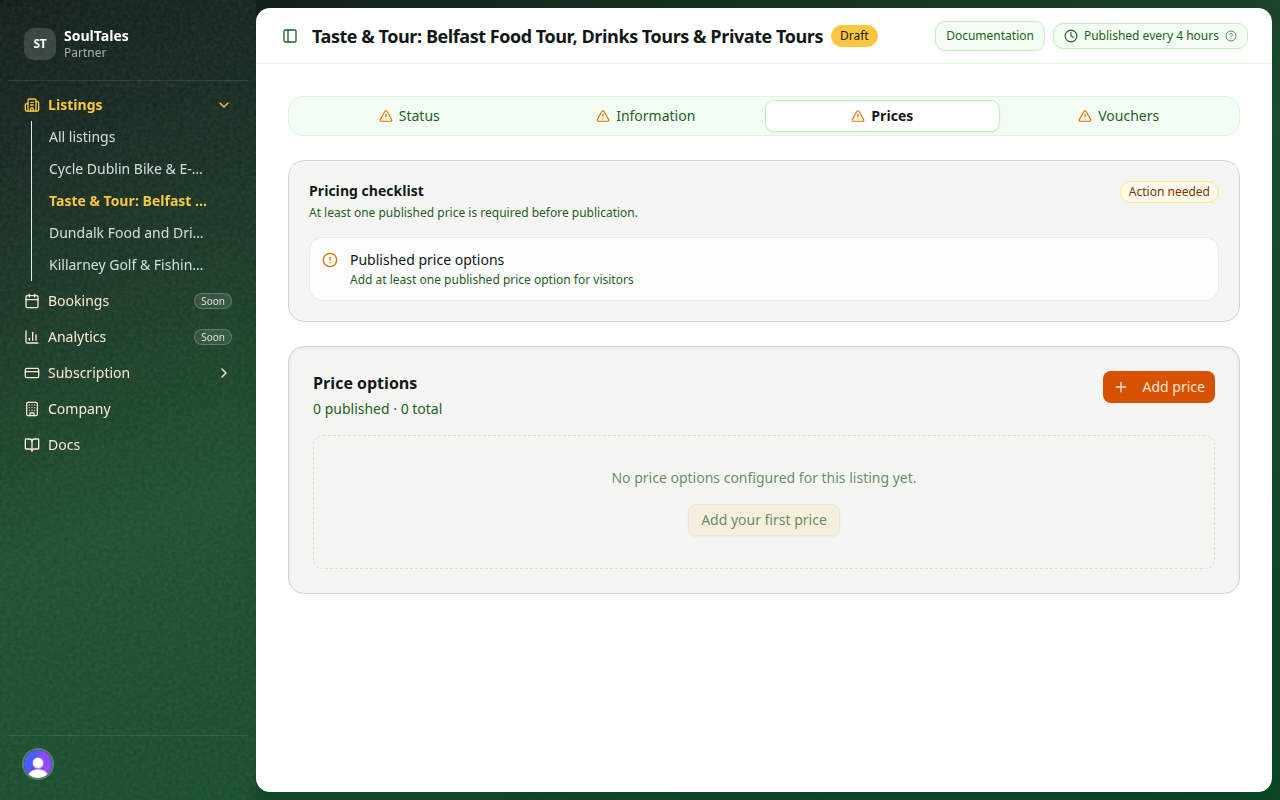
Add a price
Section titled “Add a price”Click Add price to create a new price option.
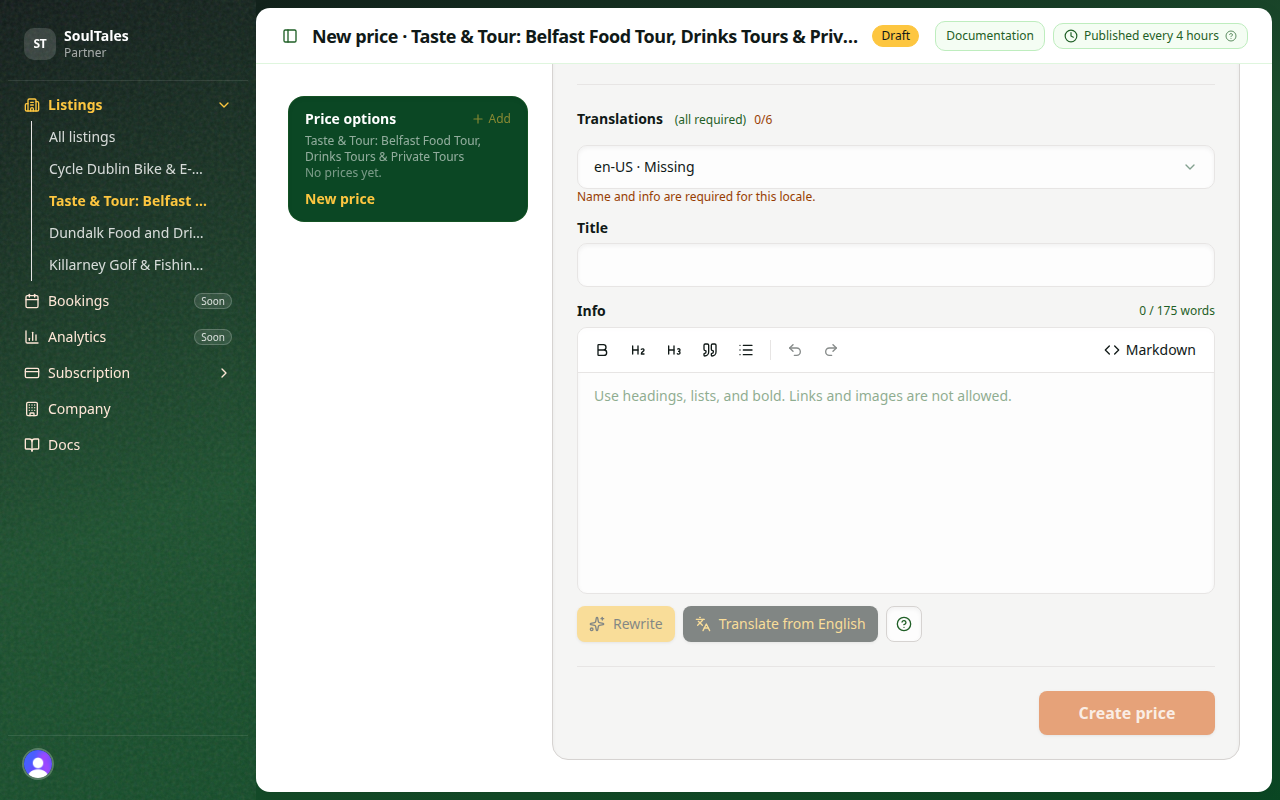
Each price includes:
| Field | Notes |
|---|---|
| Name | Short label shown to travellers — required in every locale |
| Price | Amount and currency |
| Info | Description of what is included — required in every locale |
| Booking link | Optional URL for direct booking |
| SoulTales discount | Percentage off for SoulTales members (2.5%–100%, default 5%) |
Translate from English
Section titled “Translate from English”Name and Info must be filled in for all six supported locales: English, Dutch, German, French, Spanish, and Italian.
Write the English copy first, then use Translate from English on the price form (below the Info field, next to the languages icon) to draft the other five languages in one step.
- Select English in the language dropdown on the price form.
- Fill in Name and Info.
- Click Translate from English.
- Switch each locale in the dropdown and review the drafts — edit anything that needs adjusting.
- Click Save changes or Create price when every locale is complete.
The Translations progress label shows how many locales still need a name and info. You can also use Rewrite to polish the Info field for the currently selected language.
Writing price descriptions
Section titled “Writing price descriptions”Keep price Info concise:
- Soft limit: 175 words
- Hard limit: 199 words
Describe what is included so travellers understand the value — duration, group size, materials, and what the guest experience covers.
The Info field supports basic markdown (headings, lists, bold). After you draft English copy, use the AI tools below the editor:
- Rewrite — polishes the Info text for the currently selected language. Write a first draft, click Rewrite, then review the result before saving.
- Translate from English — uses your English Name and Info to draft all other locales. Fill in English first, click Translate from English, then switch each language in the dropdown and review before saving.
Both tools update the form only — click Save changes or Create price to store your work.
Published vs draft
Section titled “Published vs draft”Only prices with status published count toward your publication checklist. Save draft prices while you are still editing, then publish when ready.
SoulTales discount
Section titled “SoulTales discount”The discount percentage is applied for SoulTales members at checkout on supported booking flows. It is separate from vouchers and from activation checkout promotions.
See Pricing tips for guidance.
Next step
Section titled “Next step”Optionally add vouchers, then check your publication checklist.