
When every required item on the Status tab is complete, you can request publication.
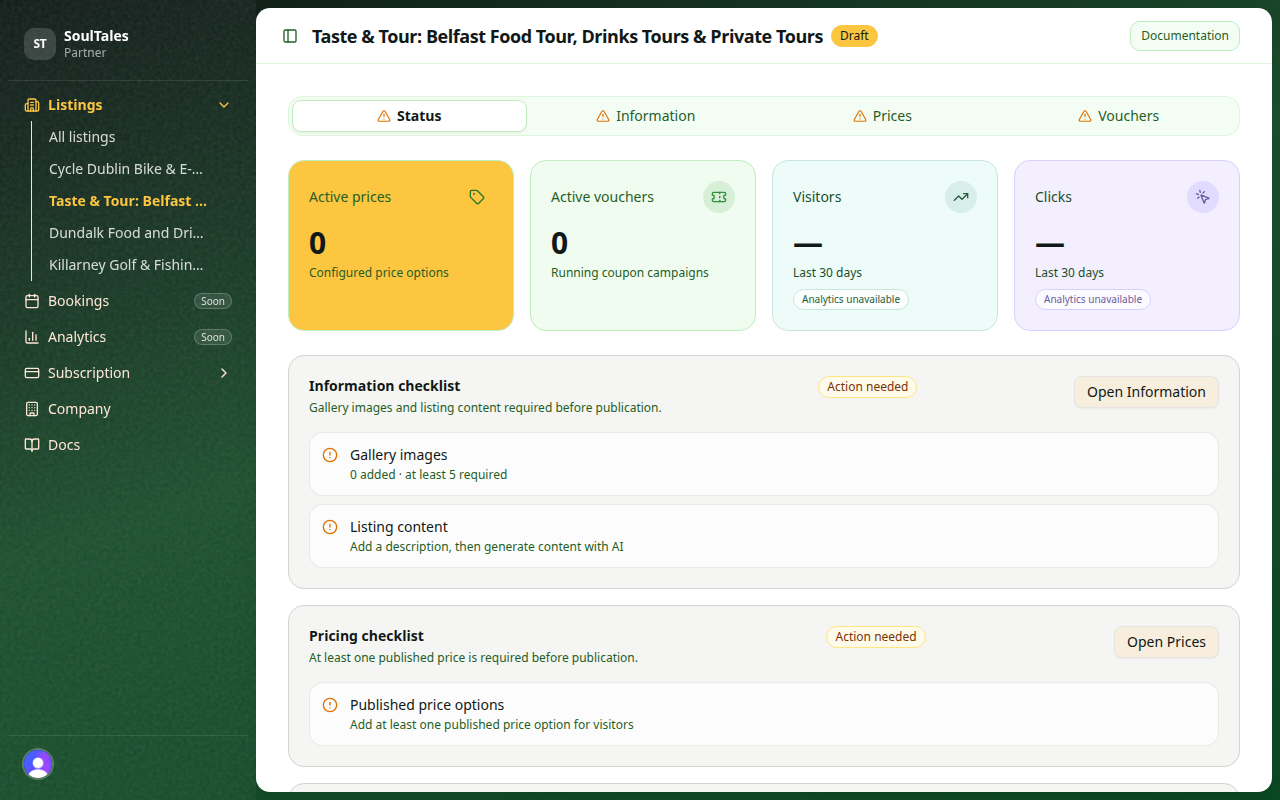
Checklist requirements
Section titled “Checklist requirements”All of the following must be complete:
| Item | Requirement |
|---|---|
| Gallery | At least 5 images uploaded |
| Content | Name and body in all locales |
| Prices | At least 1 price with published status |
| Vouchers | Optional — not required |
The Status tab shows each item with a clear complete or incomplete indicator.
Request publication
Section titled “Request publication”- Open your listing in the dashboard
- Go to the Status tab
- Confirm every required item shows complete
- Click Request publication
Your listing status changes to Awaiting publication. You can continue editing while you wait — submit updates and our team reviews the latest version before publishing.
What happens next
Section titled “What happens next”See Going live for the final steps and timing.
Quick reference
Section titled “Quick reference”See the full publication checklist for a printable summary.