
After activation, each approved listing appears as a draft in your dashboard. You complete the listing before requesting publication.
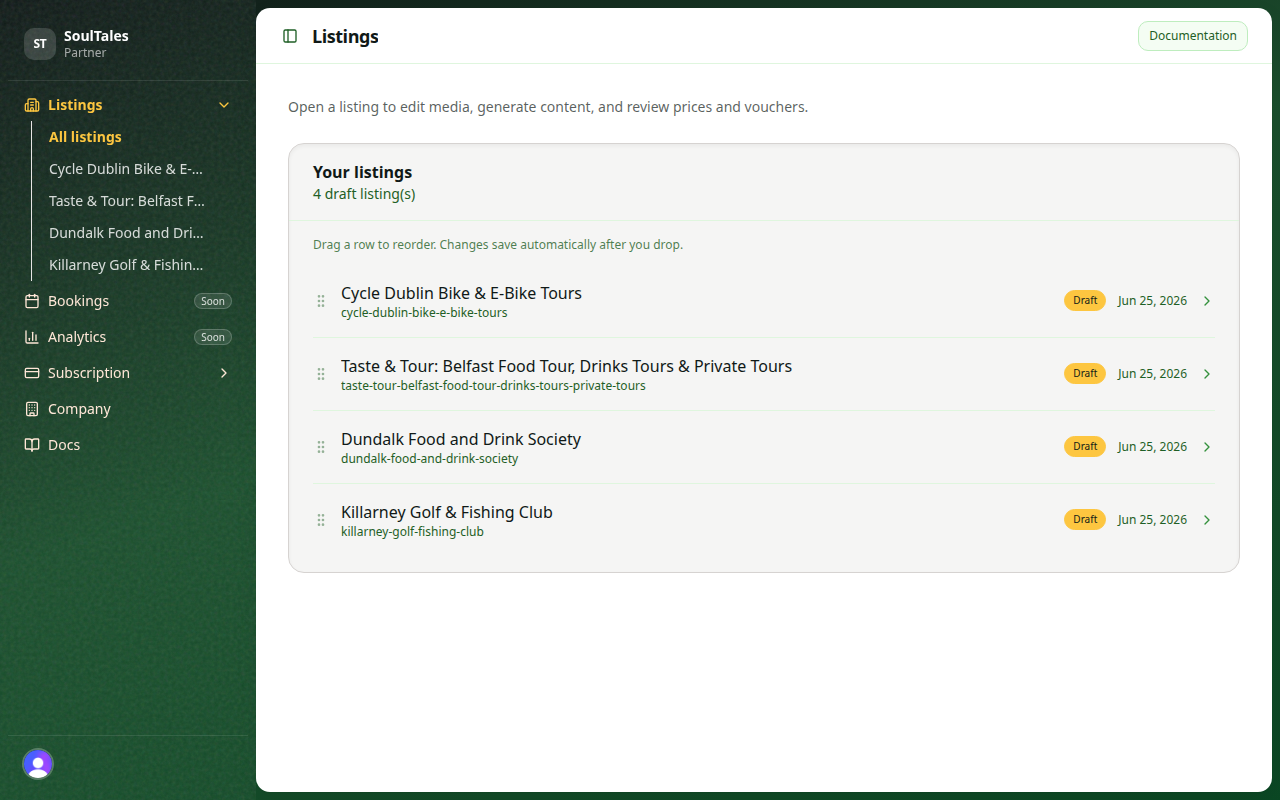
Dashboard navigation
Section titled “Dashboard navigation”Open Listings in the sidebar to see all your listings. Click a listing to edit it.
Each listing has four tabs:
| Tab | Purpose |
|---|---|
| Status | Publication checklist and request review |
| Information | Gallery, source text, AI-generated multilingual content |
| Prices | Ticket and experience pricing |
| Vouchers | Optional exclusive offers |
Path to going live
Section titled “Path to going live”- Complete the Information and gallery tab
- Add at least one published price
- Optionally add vouchers
- Request publication from the Status tab
- Wait for SoulTales to publish — then your listing appears on the live site within 4 hours
Listing statuses
Section titled “Listing statuses”| Status | Meaning |
|---|---|
| Draft | Still being completed — you can edit freely |
| Awaiting publication | You requested review — our team will publish |
| Published | Live on soultales.com |
Vendor settings
Section titled “Vendor settings”Update your company profile, thumbnail, and banner under Settings in the dashboard. Vendor images accept PNG or JPEG up to 15 MB each.
See also Best practices for images.